

Tree Service Software for Tree Care Companies
ArboStar vs Jobber vs SingleOps vs ArborGold
The claims below are drawn from our own detailed comparisons: ArboStar vs Jobber, ArboStar vs SingleOps and ArboStar vs ArborGold. See the full list at all comparisons.
| What matters | ArboStar | Jobber | SingleOps | ArborGold |
|---|---|---|---|---|
| Industry focus | Built specifically for tree care | Designed for a wide range of field service industries | Field service platform with strong support for tree care | General green industry, not tree-specific |
| Tree inventory and mapping | Every tree mapped, with species, condition and history | No per-tree record; history lives in job notes | Not covered in our comparison | Not available |
| Scheduling and dispatch | Built for real-time coordination across crews and ongoing work | Scheduling suited to small teams, no tree-specific workflows | Scheduling and work order management | Strong for recurring services |
| Profit tracking | Per job, crew and service | Job costing from the Grow tier; job-level, not crew-level | Not covered in our comparison | General financial overview |
| Custom workflows | Flexible and adaptable to your specific operations | Customization available, within a standardized framework | More structured around predefined workflows | More rigid structure |
Jobber, SingleOps and ArborGold are all capable field service tools, and each is a reasonable choice for a business that does not need tree-specific workflows. The pattern across all three is the same: general scheduling and invoicing that any trade can use, with tree care features layered on top or missing outright. ArboStar starts from the tree, the crew and the equipment, and builds estimating, scheduling and invoicing around that, rather than the other way around. None of this is to say the others are bad software. It is to say a tree service business gets more out of a platform designed around trees than one designed around jobs in general.
What Tree Service Business Software Costs
Most tree service software either hides its pricing behind a quote-only form or charges extra for the features that matter most, like GPS tracking, customer portals or a mobile app. ArboStar publishes a starting price and includes every feature in it, so a company can try it against a real month of estimates, jobs and invoices before committing.
Every business is different, so the final quote depends on crew size and which modules you use. There are no separate tiers that lock GPS tracking, the mobile app or customer management behind a higher price, and discounts apply automatically as you add licenses for more users. See the full breakdown on the pricing page, or book a demo for a number specific to your company.
Get a Number for Your Company
Three fields, and a real person replies the same business day with pricing for your crew count.
Everything a Tree Service Company Runs On, in One Platform
Six modules cover the work a tree service business does every day. Each one stands on its own, and each one shares the same client, property and job record, so switching between them does not mean switching context. Office staff and crews are looking at the same information at the same time, whether the job started from a phone call this morning or an estimate from last month.
Estimating on the Property Map
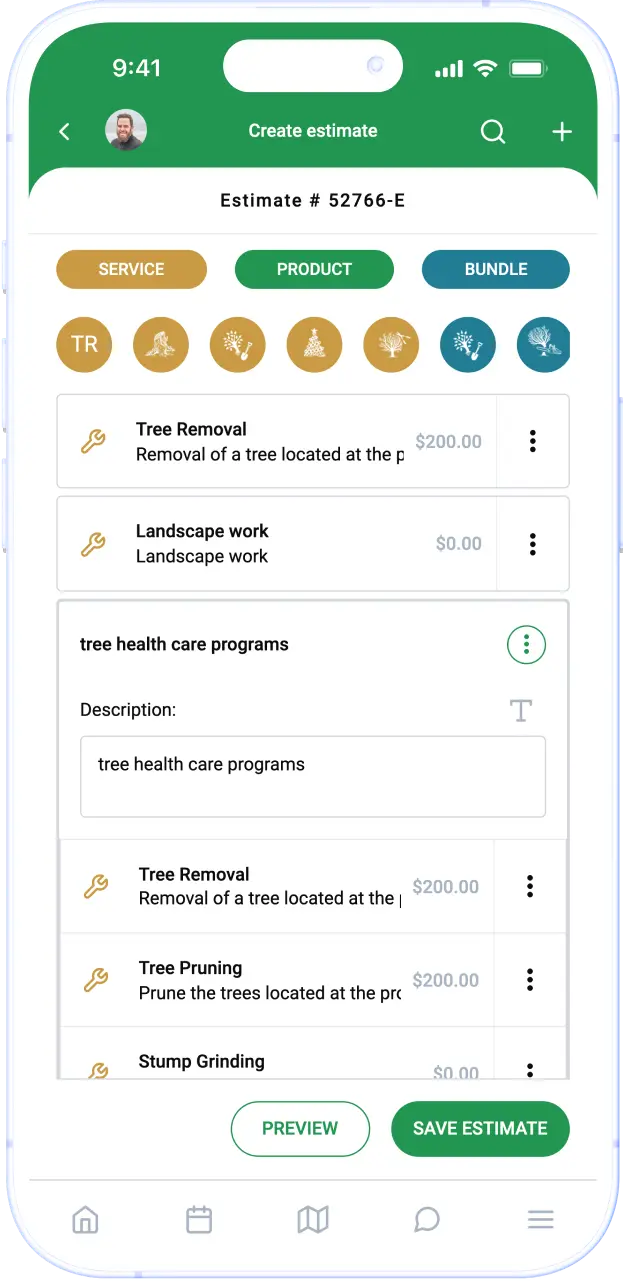
Build an estimate on site, on the map, in front of the client. Pick the type of work, the crew size and the equipment, and ArboStar prices it from your own pre-entered rates for man-hours, vehicles and tools, so two estimators quote the same job the same way. Estimates convert to work orders with one tap, so nothing gets re-typed and nothing gets lost between the sale and the schedule. Every estimate carries the property map, the tree records, the photos and the client history that led to it, so a follow-up quote a year later starts from real data, not memory.
Scheduling and Dispatch
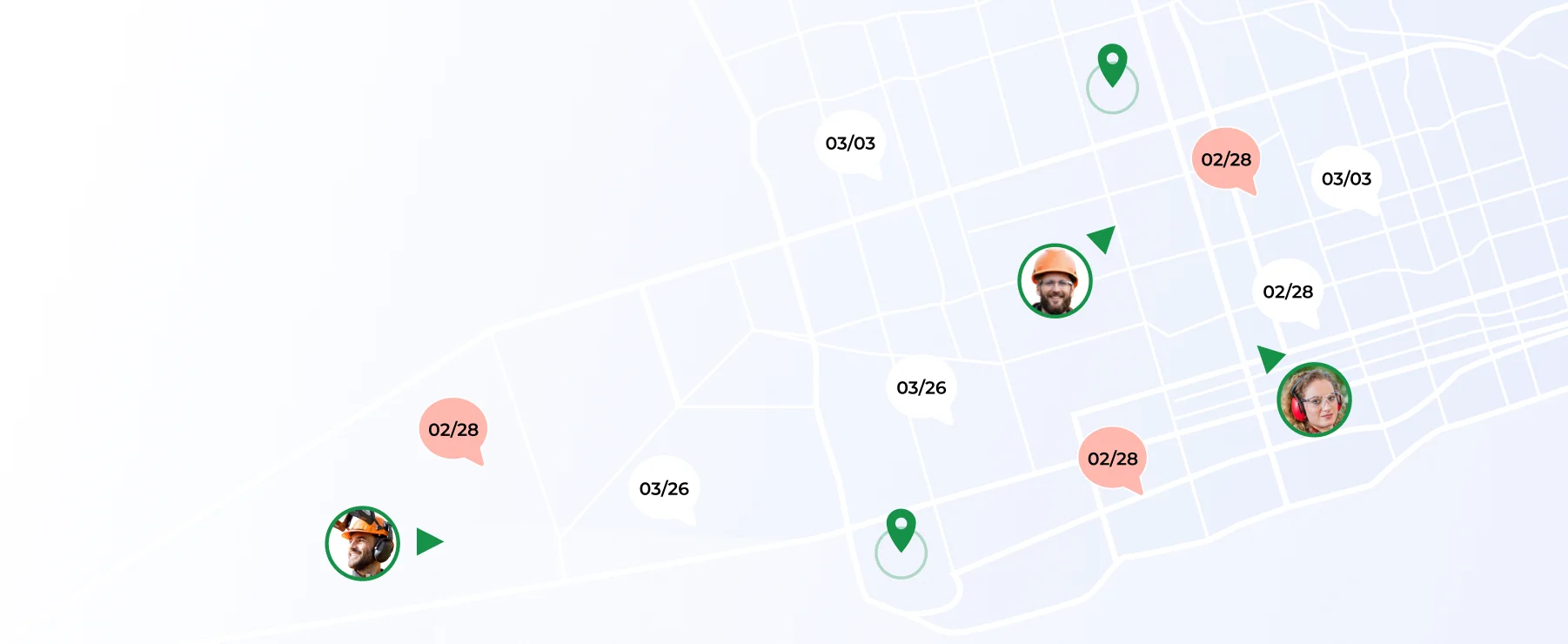
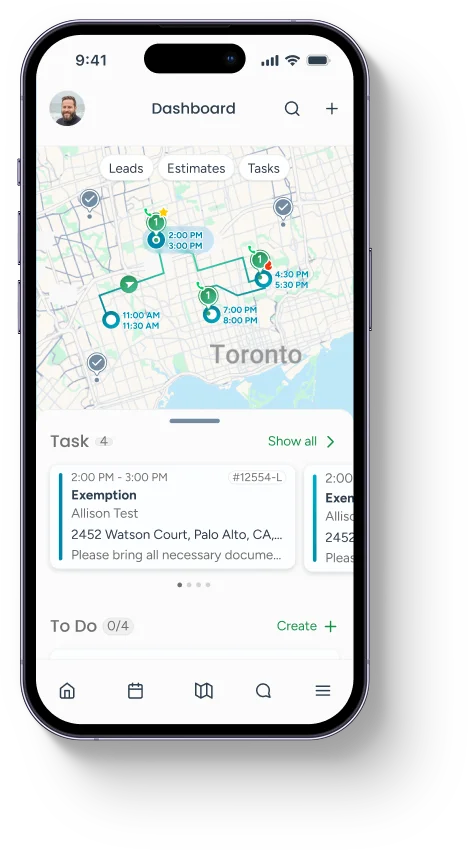
See every crew, every truck and every job on one calendar, color-coded by status, crew or type of work. Drag a job to a different day or a different crew and the field app updates in real time, so nobody drives to a job that just got rescheduled. Live GPS shows where each crew actually is, which matters the day a storm changes the plan by 9 a.m. Dispatch a crew straight from an incoming call, and the job lands on their phone with the address, the map, the scope of work and the client notes attached.
A CRM Built Around Tree Care Work
Every client interaction lands in one searchable record: calls, texts, emails, estimates, work orders, invoices and photos, in order, tied to the property. A crew lead pulling up to a job sees the tree history, the last invoice and any open notes before they get out of the truck. Office staff can rate clients, flag repeat business and see payment history without digging through a spreadsheet or a second app. The CRM is built around tree care work, not adapted from a generic sales pipeline, so it does not ask you to translate your business into someone else's fields.
Learn more about the CRM →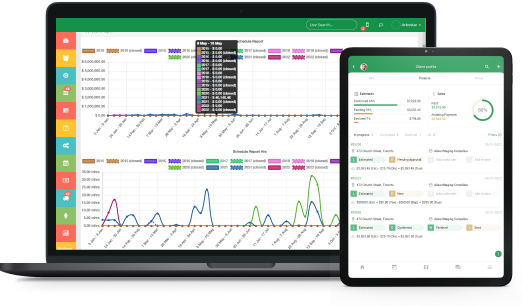
Crew Mobile App, Offline Included
Crews run the job from the phone: today's schedule, the property map, safety forms, photos and time tracking, all in one app built for the field, not a shrunk-down office screen. Work offline in the areas with no signal and the data syncs the moment a connection comes back, so a job in a dead zone still gets logged. Office and field share the same record, so a completed job, a signed form or a photo shows up on the office side the same day, not at the end of the week when someone finally does paperwork.
Invoicing, Payments and the Books
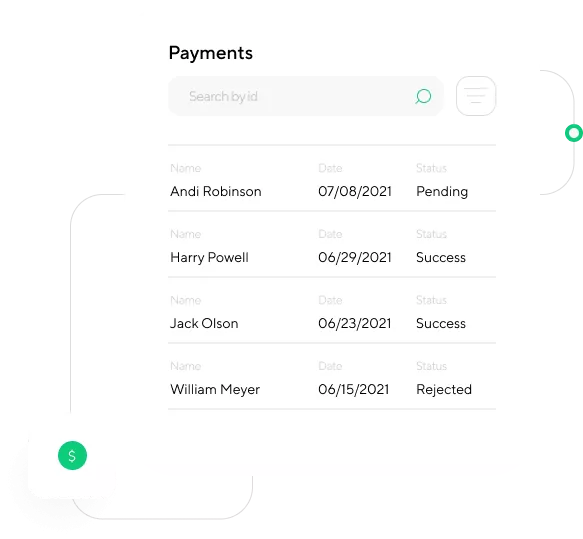
Turn a completed work order into a branded invoice in a couple of taps, with your logo, your terms and a link the client can pay from their phone. Automated reminders chase overdue invoices on a schedule you set, so collections stop depending on someone remembering to follow up. Payments sync to QuickBooks or Xero, so the books match the field without a manual re-entry pass at month end. Days-to-invoice and days-to-paid show up on the dashboard, so a slow-paying habit gets caught before it becomes a cash-flow problem.
Tree Inventory and Mapping That Runs the Job
Every tree on a property gets a GPS pin, a permanent number, a species, a condition and a photo history that follows it through every estimate, work order and invoice from then on. Color-coded pins make a large or multi-building property readable at a glance, with bulk edit and lasso-select tools for HOAs, campuses and municipal contracts. A tool that only catalogs trees stops at the record. ArboStar attaches that record to the quote, the crew, the invoice and the report, because most tree care businesses need to run the company, not only log the trees.
Learn more about tree inventory and mapping →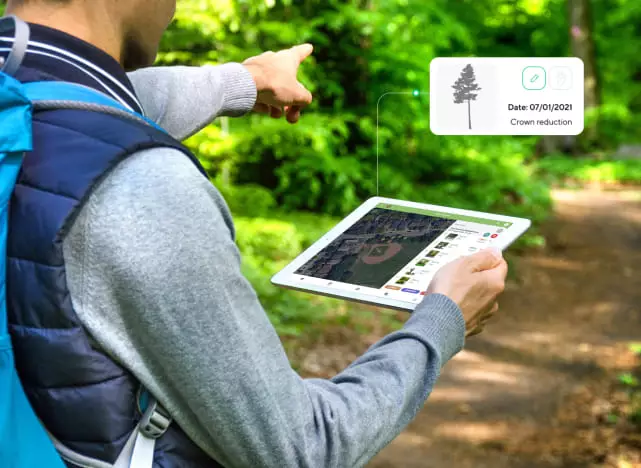
Why Tree Service Companies Move Off Generalist Software
Most companies do not switch because something broke. They switch because a generalist field service tool never had a place for what makes tree work different: heavy equipment, per-tree records, storm season and crew safety. Here is what tree service business owners tell us before they move to ArboStar.
Tree Service Companies Running ArboStar
Hear directly from tree care business owners running estimating, scheduling, crews and invoicing on ArboStar day to day. These are working tree service companies, not case studies written by a marketing team, talking about what changed for their office and their crews after they switched.
Hear from our customers
Start Your Success with Us

Shane L.

ArboStar keeps amazing client records. In a single year I might engage with about 2000 existing and prospective tree care clients and I want to make each of them feel important. The smart search feature in ArboStar allows me to recall client records live, review previous services, connect to client emails and photos of their property.
Show on source


Marta V.
ArboStar has managed to create one of the best CRMs there is. Very responsive team with fast access to all the essential information is resulting in brilliant performance.
Show on source


Mark
ArboStar has everything and more of what we need in our industry. It has simple, logical, straightforward interface. As a customer service, I am so grateful that we found the software to be helpful in centralizing and making our operations more efficient.
Show on source


Fred M.
I'm very pleased with this software and have no plans to go back. Everything is divided into modules, and each module is a gem in its own right.
Show on source


Ralph Leonard
I'm very happy our company made the switch to ArboStar. It's custom-tailored to the tree-care industry and has excellent report generation and data analysis tools. Highly recommended for its financial and accounting features alone.
Show on source


Claude N.
This platform helps us automate tasks like estimation and invoicing which would otherwise be very time-consuming. It also provides us with sales and marketing reports, which play a huge role in the future of our company.
Show on source


Rees Vickers
ArboStar has helped to streamline our business process and we're also able to automate a ton of tasks. Their mobile app works well and helps our fieldworkers do their jobs.
Show on source


Remy Leech
I'm able to quickly and easily set up text and email messages and notifications to our clients with ease. There is a ton of functionality and customizability that allows me to keep our customers happy and engaged.
Show on source


Keiren Bean
App has made my job a lot easier. I show up on site, and there's GPS-tagged pictures of the trees with descriptions of what exactly needs doing.
Show on source


Henry Wilcox
This app has been a huge time-save for me. Everything in the app is streamlined and easy to use. As far as apps go, this one is definitely on the cleaner side of things.
Show on source


Brittany Wenneker
ArboStar is a great software designed around the user and for the user. That is why my team and I love this software so much. It is great because it offers exactly what we need for our tree care business. ArboStar is very professional looking, making us look presentable to the customers.
Show on source
Questions Tree Service Owners Ask
The questions tree service business owners actually search before choosing software, answered plainly.
It depends on how specialized your work is. Generalist field service tools like Jobber handle scheduling and invoicing for any trade. ArboStar handles the same two jobs plus tree-specific work: per-tree records, crew and equipment scheduling for removals and pruning, and storm-response dispatch, all connected to the same invoice.
See ArboStar Running a Tree Service Company Like Yours
A 30-minute demo, no obligation, walking through estimating, scheduling, the crew app and invoicing set up for a business your size. Not ready for a demo yet? Talking to an arborist on our team is a lower-key way to ask questions first.